


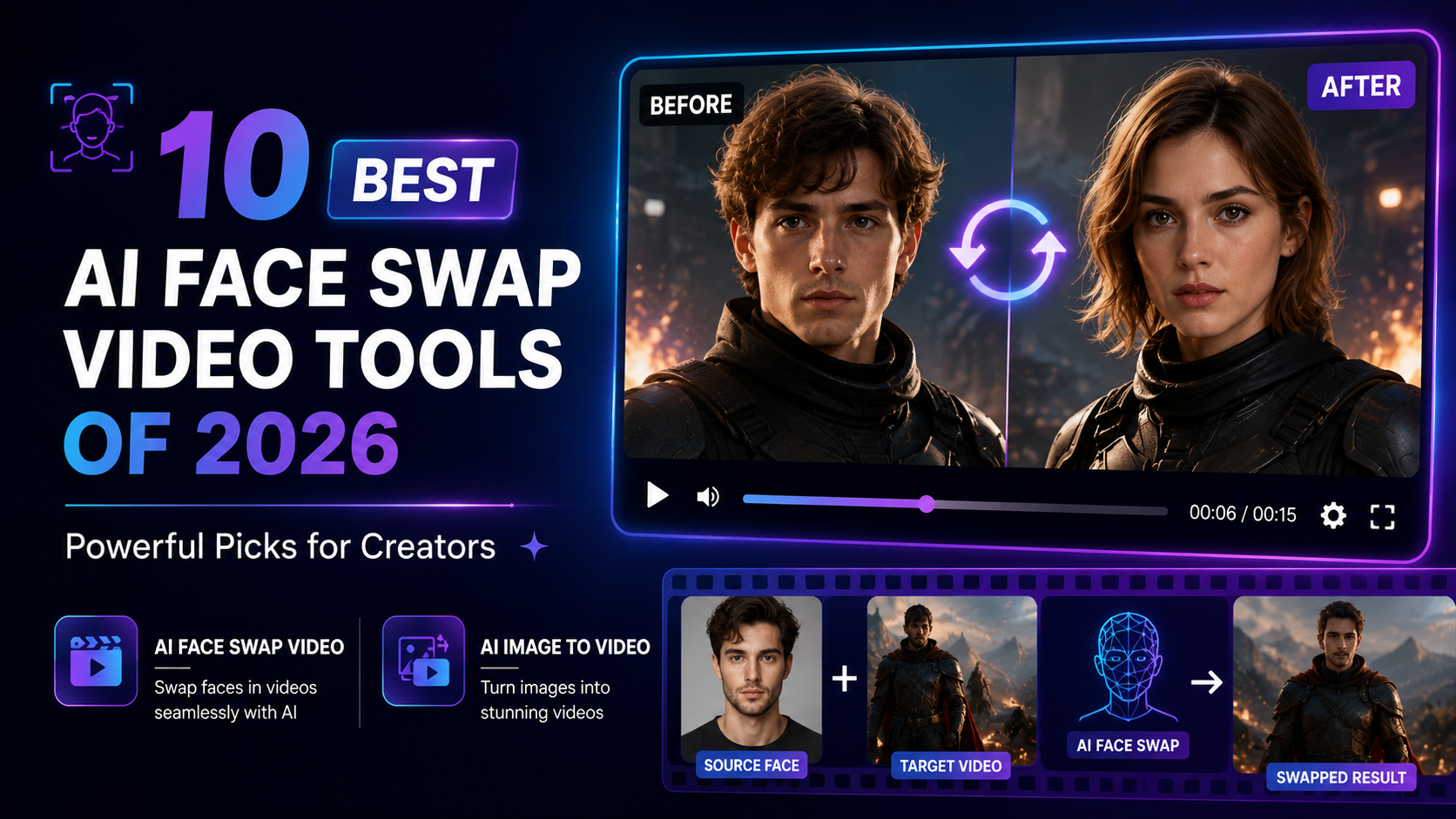
AI face swapping has developed from a novelty effect into a practical video-editing technology. In 2026, creators can replace faces in moving footage while preserving expressions, head movement, lighting, and much of the visual character of the original scene.
That opens interesting possibilities for digital creators. Marketing teams can develop authorised campaign variations, filmmakers can experiment with character concepts, social creators can produce entertaining edits, and production teams can update selected footage without rebuilding an entire project.
The strongest platforms aren’t judged only by whether they can replace a face. Consistency across frames, processing speed, resolution, support for multiple faces, privacy, workflow integration, and commercial-use options all matter.
Here are 10 AI face swap video tools worth considering in 2026.
1. Magic Hour — Best Overall AI Face Swap Video Tool
Magic Hour takes the #1 position because its face-swapping technology sits inside a much larger AI content creation platform.
Creators can use its ai face swap video workflow directly in a browser. The process is straightforward: upload the original video, provide a clear image containing the replacement face, select the appropriate face, and generate the result.
The free version currently provides three video face swaps per day without requiring an account. Free clips can be up to 10 seconds and export at up to 576p, while paid subscriptions provide higher-quality options, including up to 4K on supported workflows, alongside watermark removal and priority processing.
Magic Hour also supports single and multiple-face replacement. Multi-face mapping is particularly useful when working with group scenes because creators can assign different replacement faces instead of applying one identity across the entire cast.
Another major differentiator is the wider creative ecosystem. After working with face replacement, creators can move into Magic Hour’s ai image to video workflow to animate a still image. The tool supports prompts describing motion and gives users access to several frontier models within the same platform.
Why Magic Hour Ranks #1
Magic Hour is particularly strong for creators who don’t want their face-swap tool to exist in isolation. Its broader toolkit includes lip sync, talking photos, image editing, text-to-video, image animation, video enhancement, and other AI workflows.
Key advantages include:
- No-sign-up access to selected free tools
- Three free video face swaps per day
- Single and multiple-face swapping
- Up to 4K output on supported paid workflows
- Access to frontier video models
- Strong lip sync and talking-photo capabilities
- Templates for faster creative experimentation
- Credits that roll over without expiring
- Parallel generation on paid tiers
- Desktop and mobile-friendly workflows
- Full API access on paid subscriptions
- Commercial-use rights with paid plans
Magic Hour’s APIs are another advantage for agencies and developers. Face swapping and image-to-video generation can be incorporated into larger automated applications rather than being limited to manual browser workflows.
Magic Hour Pricing in 2026
| Plan | Monthly Price | Annual Equivalent | Highlights |
|---|---|---|---|
| Free | $0 | $0 | Entry-level testing and free tools |
| Creator | $15/month | $10/month | 120,000 annual credits, commercial use, 3 concurrent generations |
| Pro | $39/month | $25/month | 300,000 annual credits, 5 concurrent generations |
| Business | $99/month | $66/month | 840,000 annual credits, unlimited concurrent generations, up to 4K on supported tools |
Creator costs $120 when billed annually, Pro costs $300 annually, and Business costs $792 annually. Paid subscriptions include watermark-free exports and commercial-use rights, making them more suitable for client and business projects.
2. DeepSwap — Best for Straightforward Face Replacement
DeepSwap is designed primarily around AI-powered face replacement, making it appealing to users who want a focused workflow rather than an extensive professional editing suite.
Its streamlined approach suits entertainment edits, memes, short videos, and casual creative experimentation.
For the best results, users should start with well-lit source material where facial features remain clearly visible throughout the clip.
Best for: Quick entertainment and social-media face swaps.
3. Reface — Best for Casual Social Content
Reface became widely known for making face swapping accessible to everyday users.
Its strength lies in speed and simplicity. Rather than requiring detailed technical settings, it is designed around quick transformations suited to entertaining and highly shareable content.
It is therefore better suited to casual creator workflows than complex professional post-production.
Best for: Memes, reaction content, and quick social edits.
4. Akool — Best for Marketing Applications
Akool provides generative media capabilities aimed at businesses and creative teams.
Face swapping can be useful for authorised campaign personalisation and localisation, particularly when companies need to create multiple versions of an existing asset.
Business users should still review output quality carefully across different angles and lighting conditions before deploying generated media commercially.
Best for: Marketing teams and personalised campaigns.
5. HeyGen — Best for Localised Presenter Videos
HeyGen is best known for AI avatars, video translation, and presenter-based content.
Its strength becomes clear when a company wants to adapt presenter-led material for different audiences. Combined AI video technologies can help teams produce variations without recreating every element manually.
Best for: Localisation, training, sales, and presenter videos.
6. Runway — Best for Professional AI Video Editing
Runway approaches generative AI from a broader filmmaking perspective.
It is an attractive choice when face-related transformations are only one component of a larger production involving generative footage, visual effects, scene manipulation, or AI-assisted post-production.
Its professional orientation makes it particularly suitable for filmmakers and creative studios.
Best for: Advanced editing and cinematic workflows.
7. CapCut — Best for Social Video Workflows
CapCut is a natural choice for creators who want AI-assisted features combined with familiar short-form editing tools.
After preparing a visual effect, users can continue with captions, music, transitions, filters, and platform-specific formatting without moving through a complicated editing pipeline.
Best for: TikTok, Instagram Reels, and YouTube Shorts.
8. Canva — Best for Beginners and Marketing Assets
Canva prioritises accessibility and integrated design.
It is especially useful when AI-generated visual material needs to become part of a larger branded asset containing typography, logos, graphics, or templates.
The simple interface makes it a practical option for users who don’t have professional editing experience.
Best for: Small businesses, marketers, and beginners.
9. Adobe Creative Tools — Best for Established Editing Pipelines
Adobe’s creative ecosystem remains highly relevant to professional video production.
Its advantage is the surrounding editing environment. Professional teams often need much more than a single AI effect, including colour correction, compositing, audio editing, graphics, and precise timeline control.
Best for: Professional editors and established production teams.
10. Pica AI — Best for Fast Creative Experiments
Pica AI provides accessible face-oriented AI tools aimed at users who value simplicity.
It can be useful for testing concepts and creating quick visual transformations without learning complicated desktop editing software.
As with any face-swapping platform, quality depends heavily on the clarity, angle, lighting, and resolution of the source material.
Best for: Casual experimentation and fast creative edits.
What to Look for in an AI Face Swap Tool
Realism should be one of the first considerations. A convincing result needs more than a similar-looking face; it should maintain consistency as the subject turns, speaks, changes expression, or moves through different lighting.
Resolution also matters. A result that looks acceptable on a phone may reveal artefacts when viewed on a larger screen.
For professional users, commercial rights, watermark policies, privacy, file limits, APIs, processing priority, and concurrent generation should also influence the decision.
Finally, responsible usage is essential. Face swapping should be performed with appropriate permission and rights to the source material. Synthetic media shouldn’t be used to impersonate people deceptively, misrepresent real events, or create misleading content.
How AI Face Swapping Fits Into Modern Content Creation
The most interesting development in 2026 is that face replacement is becoming part of larger AI production pipelines.
A creator might generate a concept image, animate it, replace an authorised character face, add speech with lip synchronization, upscale the footage, and prepare multiple variations for different platforms.
This connected approach can reduce repetitive editing work and make creative experimentation faster. Instead of treating AI as one isolated effect, creators can use it across several stages of production.
Conclusion
AI face swap video tools are becoming faster, more realistic, and more useful for legitimate creative production. DeepSwap and Reface provide accessible options for casual projects, while Runway and Adobe are better suited to broader professional editing. HeyGen and Akool have particular strengths for business-oriented content.
Magic Hour takes the #1 position because it combines high-quality single and multi-face replacement with free no-sign-up testing, paid high-resolution options, image animation, lip sync, talking photos, frontier video models, scalable APIs, and a wider AI creation ecosystem.
For creators who want to move beyond a single face-swap effect and build complete AI-assisted video workflows, Magic Hour is one of the strongest all-around options to consider in 2026.